
Sometimes we may need to have a report about who is logged in into Device42 web interface and if there are some failure cases as well.
This type of information is kept under the "History Audit" logs for Device42 and we have two options to check it.
- Using the Audit Logs option under
Analytics -> Audit Logs -> History
then filter from the right-hand side
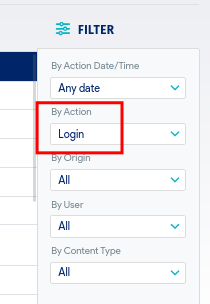
and we can use the "By User" to filter by user name and m.mitkov@draftkings.com to filter by a time stamp as well.
This method is not highly recommended if the amount of history logs on the system is big, in other word let say if we are keeping the history audit logs forever or for one year and more, this table may become very big and when we navigate into this tab, loading the page may take time and even cause some problem on the Nginx side, if the number of logs is small and you keep only the audit logs for the last 30 days and so on you can use this method without any problem.
- Using the Classic Report
Navigate to Analytics -> Classic Reports
then
Add Report -> Audit Log
as a filtering options use these two fields only
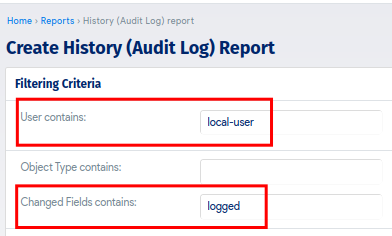
You change the "User contains:" with any username you prefer to filter by or keep it empty to grab all users, and the "Changed Fields contains:" as "logged", then select these fields
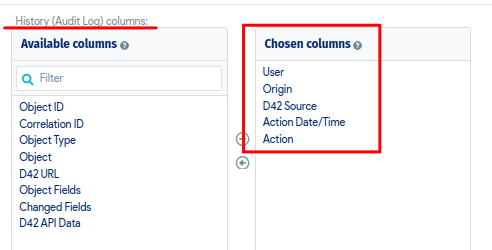
and a sample about the result which you will get

One important note here, the history audit logs can be a very huge table inside the DB if it is not cleared up systematically as indicated above, therefore you my need to use a time stamp filtering on the report page itself
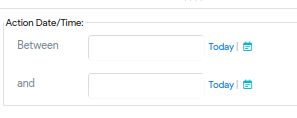
this report can be scheduled to be sent also to a couple of email addresses if needed.


