
Sometimes we may need to change the hardware model size, but the system will prevent us to do that when there are devices mounted on racks and using this hardware model, as this error will be thrown
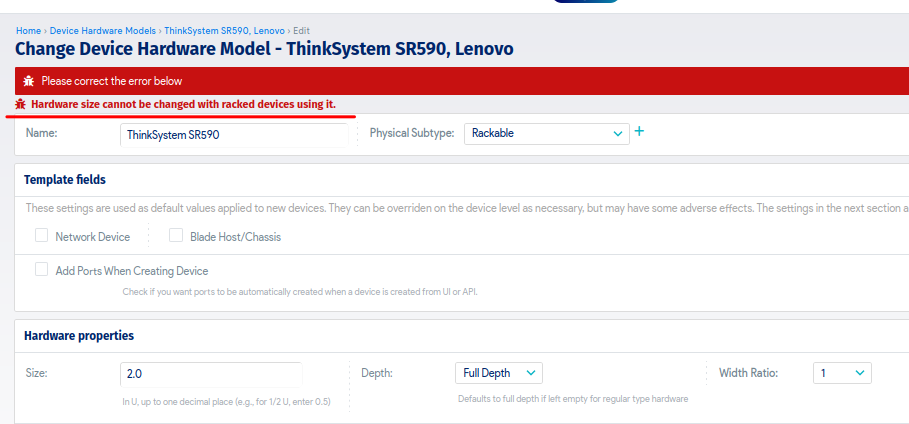
In this scenario the simplest option is to create a new hardware model with similar name and required new size (please be sure from the Physical Subtype, it must be the same)
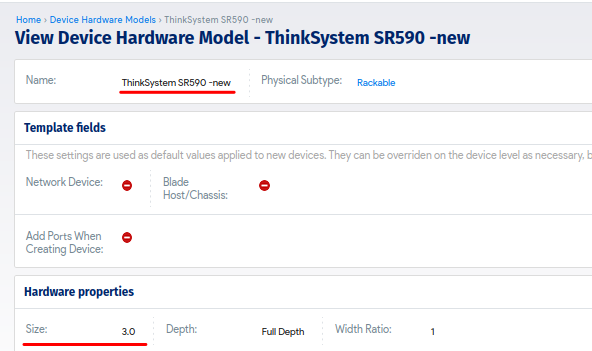
then navigate to
Resources -> All Devices
filter by the old hardware model

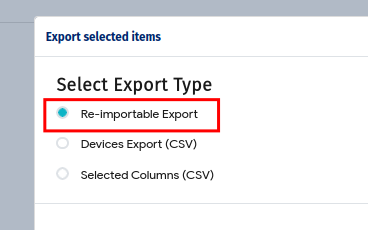
select all the devices under this list and use the drop-down actions menu to export
on the exported Excel file add a new column called "new_hardware" and define the newly created hardware model name there, and clear up the values under "hardware" column, also create a column called "approve_conflicts" with a value "yes"
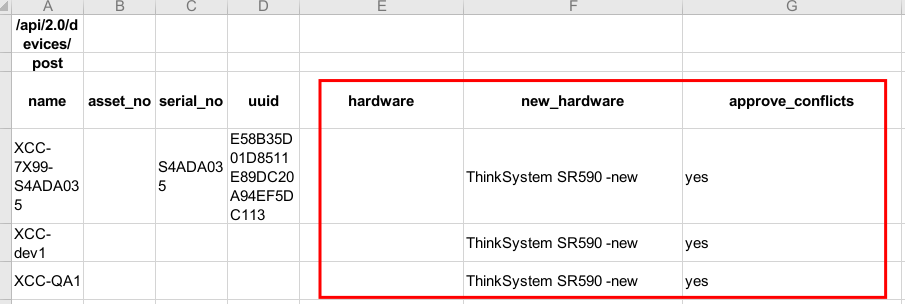
save and upload then import the file under
Tools -> Templates & Bulk Operations -> Imports/Exports (xls)
and all the devices will have the new hardware model with the new size defined

Finally you can delete the old hardware model and rename the new one to the original name if required.


