
In order to assign "Tags" to devices using API call, we can use the following call:
curl -X POST -d "name=Cluster-server&tags=tag1,tag2" -u 'user_name:password' https://Device42_IP/api/device/ --insecure
The parameters used are:
name which is a device name
tags which is comma separated tags
You can also use the Excel spreadsheet to accomplish the same task, either by downloading the current data under:
Tools > Exports/Imports (xls)
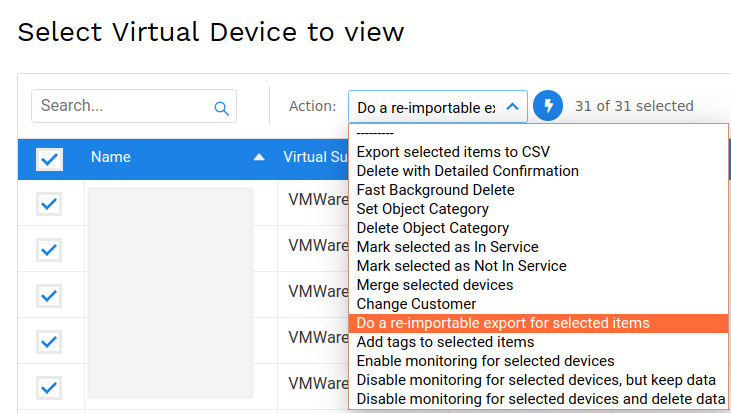
or selecting the devices we need from the "Devices" listing page and from the drop-down action menu do re-import for these devices:
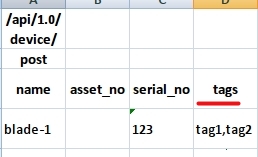
On the Excel file create a new column call "tags" and insert the required tags for each corresponding device:
Save and upload/import the file from: Tools > Exports/Imports (xls)

