
When you see such error on the SNMP job output:
Can't connect to x.x.x.x
! Cannot connect to device via SNMP. Check SNMP connection settings and/or network path.
It means that there is a connectivity issue with the device or the SNMP community string for (v2) is not working, or the credentials for (v3) are not correct.
To check the connectivity, you can access the appliance manager, then under:
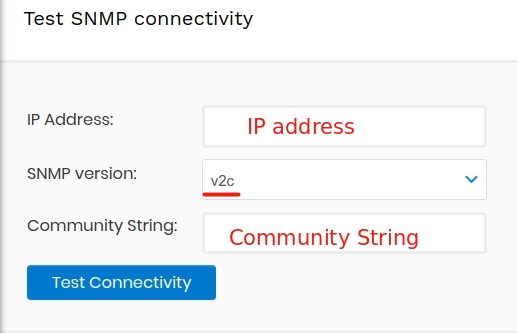
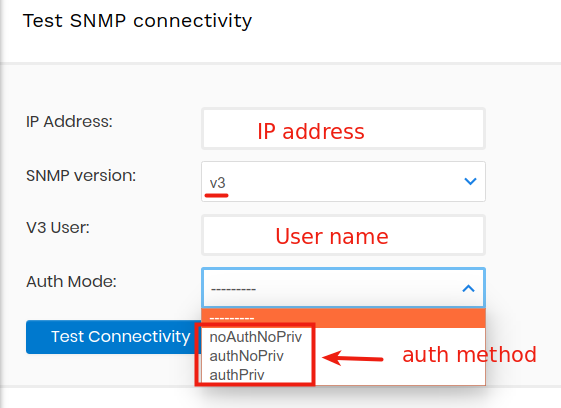
System > Connectivity Test
check the connectivity either with SNMP v2 or v3
For SNMP v2
For SNMP v3
In either cases if you see such output:
+++ Attempting to connect to device(10.42.248.16) with snmpget:
snmpget Reports:
Timeout: No Response from 10.42.248.16.
You need to check the connectivity or the credentials and test once again.

