
The following is a quick outline of adding users other than admin.
Use admin groups
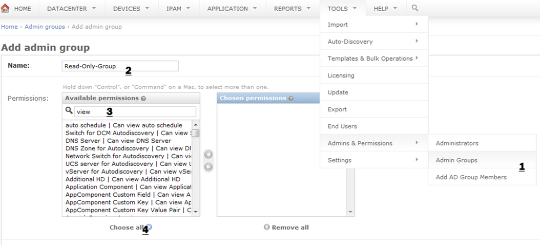
You can do permissions either by assigning permissions on group level or on individual user level. It is better to do it on group level, that way work is less when you add more users with same permission set.
Head over to Tools > Admins & Permissions > Admin Groups > Add group.
Give it a name, filter and choose the permissions you need.
Save the group.
Add user
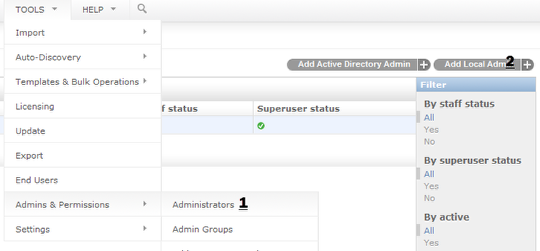
From Tools > Admins & Permissions > Administrators, you can add local or AD/LDAP user.
Once you choose the user/pass for user and save, you can assign the group as shown below.
Active directory integration is discussed here: http://docs.device42.com/tools/add-active-directory-useror-administrator/
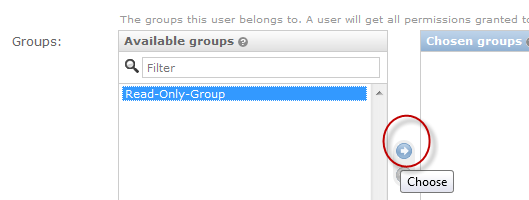
Once you save, this new user will have read-only permissions.


