
If we need to change the hardware model for any device using the Excel import option, we cannot use the column called "hardware", this will work only if no hardware model is previously assigned to the device.
Here is an example to accomplish this, let say we have a device with some hardware model assigned:

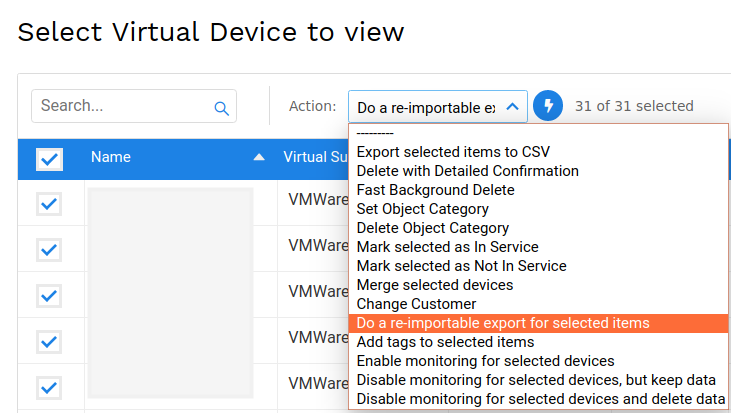
In order to change the hardware model, we click on the device then do re-import from the drop-down action menu:
On the imported Excel file we need to create another column called "new_hardware":
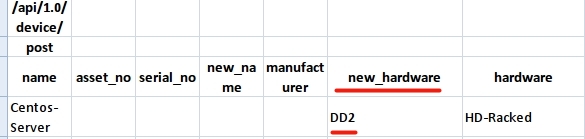
Under this new column we insert a new hardware model name, then we do the upload/import from:
Tools > Imports/Exports (xls)
and this is the final result:



