
Create the API Client
You need to have a user which is Active but not enabled as Staff
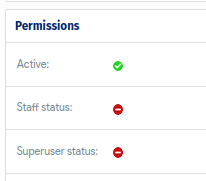
Make sure from the user permissions as it will affect the API calls usage.
As soon as the user is created, navigate to
Resources -> Secrets -> API Clients
and click "add", during this step you can set the Token expiration time (maximum is 60 minutes), and please be sure to download the credentials as they need to be used to retrieve the Token later on
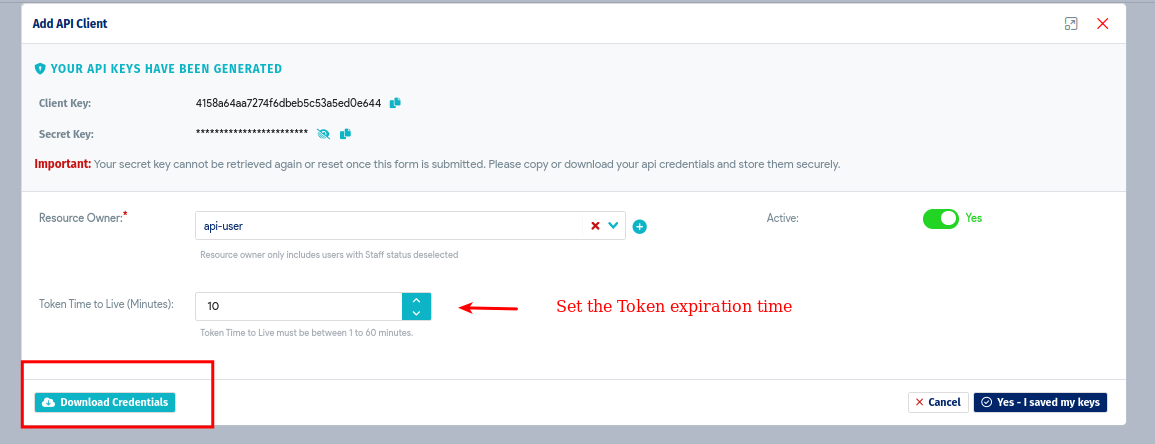
after this step we are ready to use the Token.
Retrieve the Token
To obtain an API token, the API consumer sends a POST request to the /tauth/1.0/token endpoint using the API Client key and Secret key
curl -k -X POST -u '4158a64aa......:89f82ff876644601852....' 'https://D42-IP/tauth/1.0/token/'
where the credentials are the client_key and the secret_key download in the step above. The result will be something like this
{
"code": 0,
"expires": "2022-07-15T06:25:06.240Z",
"token": "eyJhbGciOiJSUzI1NiIsInR5c......",
"ttl": 10,
"msg": "connected",
"token_id": 3
}
we will need to complete value content for the "token" key.
The same step can be done by Postman as well
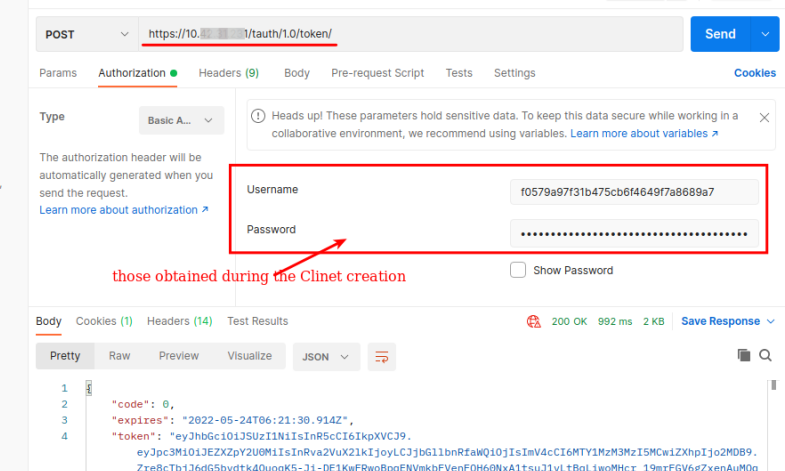
Making API calls with an API Token
GET example
curl -k -X GET -H 'Authorization: Bearer eyJhbGciOiJSUzI1NiIsInR5cCI6IkpXVCJ9....' 'https://D42-IP/api/2.0/devices/'
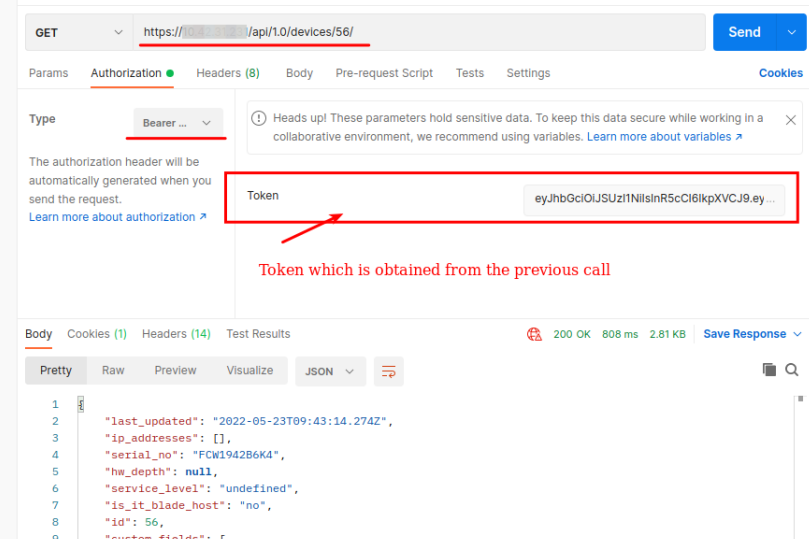
after the Bearer word we paste the complete Token value which is obtained from the call above.
The same approach from Postman
POST example
curl -k -X POST -d 'name=Head-office&address=NY' -H 'Authorization: Bearer eyJhbGciOiJSUzI1NiIsInR5cCI6IkpXVCJ9....' 'https://D42-IP/api/1.0/buildings/'
As soon the the Token expires we can use the same call used above to generate a new Token
curl -k -X POST -u '4158a64aa7274f6......:89f82ff8766446.....' 'https://D42-IP/tauth/1.0/token/'
For more information about the API end points and their usage:
https://api.device42.com/#resource_API_Client_Keys
https://api.device42.com/#resource_API_Clients
https://api.device42.com/#resource_API_Token_Authentication


