
When we need to have different port types on a single patch panel we need to use modular patch panel to add modules for creating those ports.
First we need to create patch panel model which is modular and specify the number of ports in row:
Devices > Assets > Patch Panel Models
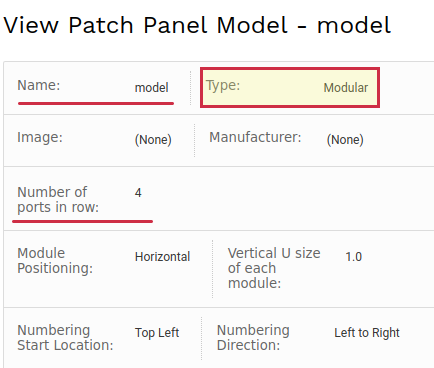
then we need to create module with different ports type to be used later on with this model:
Devices > Assets > Patch Panel Module Models
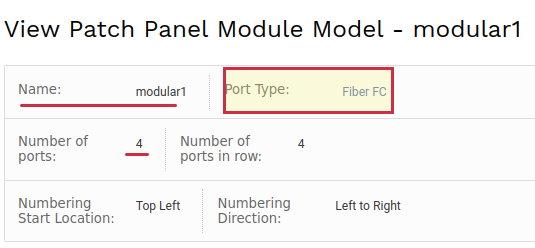
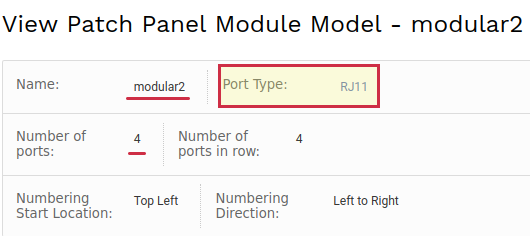
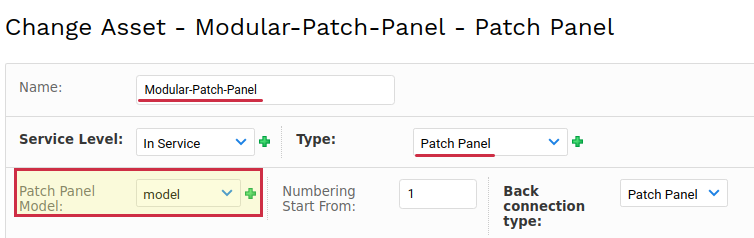
Now we are going to create the patch panel using the model which is created in the first step:
Devices > Assets > Assets
click "Add Asset"
finally we need to use the modules to add the ports on this patch panel, by using it as module host:
Devices > Assets > Assets
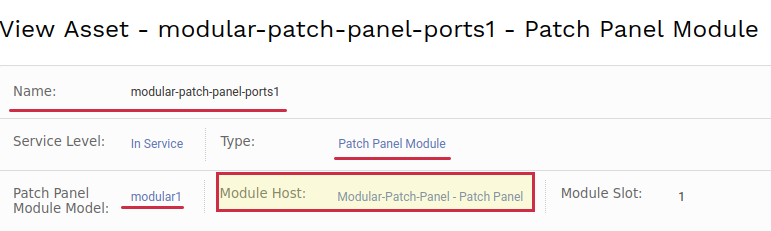
and one more for the other ports type:
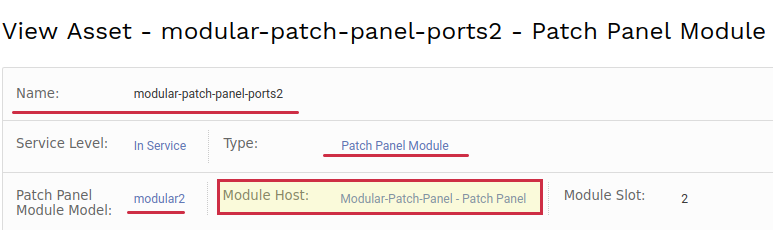
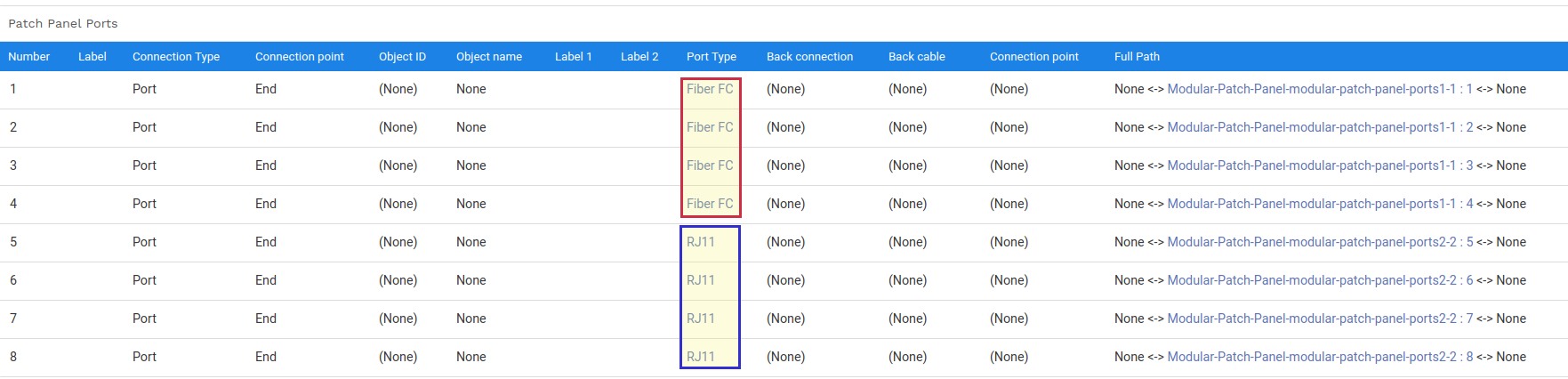
After these steps we will have different port types created automatically on the patch panel:
How to Set up the Modular Patch Panels with required port numbering
We need to specify the starting number when you are adding the patch panel module

and you will get something like this

And with no number order, we can try the same module with different starting number and of course limited ports count like this for instance


