
The Advanced Reporting dashboard contains a folder of pre-defined reports which can be run but have restrictions that do not allow edits. It is possible to duplicate the report into a separate folder which will allow edits and the option to rename the report.
To duplicate a pre-defined report you must first navigate to Reports > Advanced Reporting and load the dashboard.
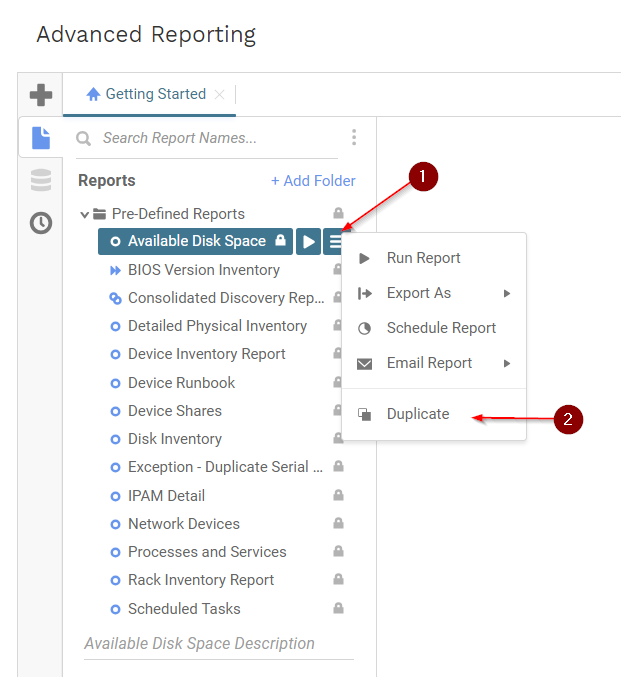
Open the pre-defined reports folder and select the report that you wish to duplicate.
Right click on the report name and select the duplicate option:
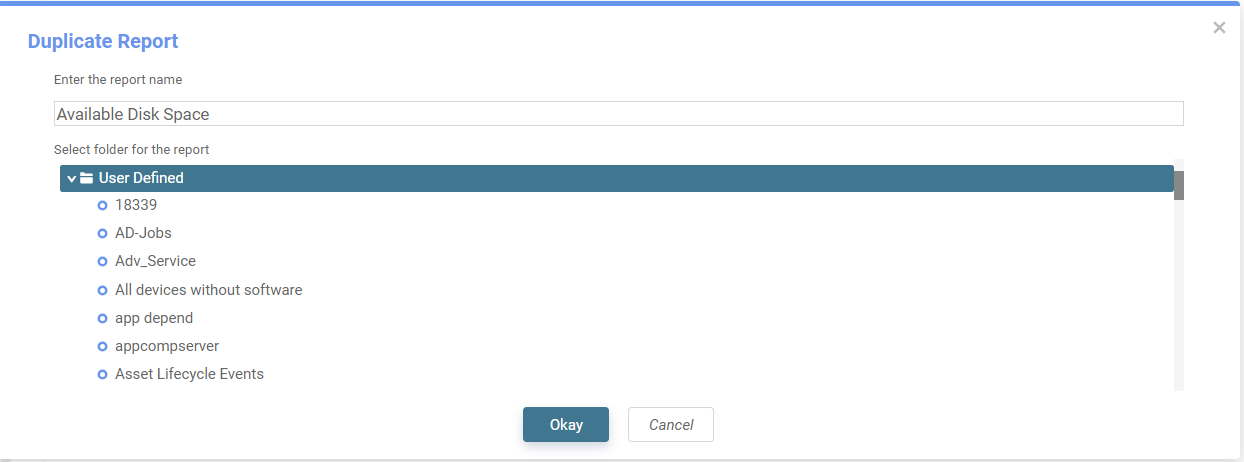
A prompt will display where you can select a new folder for the report with the option to rename it as well:
After the report has been duplicated you are able to make any edits or assign filters by using the copied version of the report instead of the original template.

